

Admin 服务概述
Admin 服务概述
Section titled “Admin 服务概述”RTC Agent Admin 是 RTC Agent 平台的独立管理后台服务,提供管理员认证、用户管理、系统配置和可观测性监控等核心管理功能。
Admin 服务是独立于主 RTC Agent Server 的进程,两者共享数据库但使用不同的 JWT 密钥和认证体系:
┌─────────────────┐ ┌─────────────────┐│ Admin Server │ │ RTC Server ││ (Port 8081) │ │ (Port 8888) ││ │ │ ││ • 管理员认证 │ │ • 用户认证 ││ • 权限管理 │ │ • 会话管理 ││ • 用户管理 │◄───────►│ • 消息处理 ││ • 系统配置 │ 共享数据库│ • 脚本执行 ││ • 监控代理 │ │ │└────────┬────────┘ └─────────────────┘ │ ▼ ┌────────────┐ │ Admin UI │ │ (SPA) │ └────────────┘关键区别:
| 特性 | Admin Server | RTC Server |
|---|---|---|
| 端口 | 8081 | 8888 |
| 认证方式 | Email OTP | OAuth2 / JWT |
| JWT 密钥 | 独立 RSA/ECDSA 密钥对 | 共享 JWT Secret |
| 用途 | 平台管理 | 用户服务 |
# 启动 Admin 服务rtc-agent admin serve
# 指定配置文件rtc-agent admin serve --config /path/to/admin.yaml
Docker 部署
Section titled “Docker 部署”admin-server: build: context: . dockerfile: Dockerfile command: ["./rtc-agent", "admin", "serve"] ports: - "28081:8081" volumes: - ./etc/admin.docker.yaml:/app/etc/admin.yaml:ro - full-admin-server-keys:/app/etc/keys depends_on: - migrate - postgres - redisAdmin 服务使用独立的配置文件 etc/admin.yaml:
server:  host: "0.0.0.0"  port: 8081  env: "production"  # 或 "development"
database:  dsn: "postgres://user:pass@localhost:5432/rtc_agent?sslmode=disable"
redis:  addr: "localhost:6379"  password: ""  db: 0
jwt:  algorithm: "RS256"  issuer: "http://localhost:8081"  audience: "http://localhost:8888"  private_key_path: "etc/keys/admin-private.pem"  public_key_path: "etc/keys/admin-public.pem"  access_token_ttl: 3600      # 1 小时  refresh_token_ttl: 604800   # 7 天
security:  rate_limit_per_minute: 100  login_max_attempts: 5  login_lock_duration: 900  cookie_secure: true
email:  smtp_host: "smtp.example.com"  smtp_port: 587  smtp_user: ""  smtp_password: ""  from_address: "admin@example.com"  from_name: "RTC Agent"
otp:  ttl: 300  length: 6  send_cooldown: 60  max_send_per_ip: 5  max_verify_attempts: 5  lock_duration: 900
features:  permission_system: true  password_enabled: false
# 可观测性服务地址prometheus_url: "http://localhost:9090"grafana_url: "http://localhost:3000"jaeger_url: "http://localhost:16686"pyroscope_url: "http://localhost:4040"1. 管理员认证
Section titled “1. 管理员认证”- Email OTP 登录(验证码方式)
- JWT Token 机制(Access Token + Refresh Token)
- 登录保护(Rate Limiting、账户锁定)
- Cookie 安全配置
2. 权限管理
Section titled “2. 权限管理”- Casbin RBAC 权限系统
- 角色管理
- 用户角色分配
- 策略同步(多实例部署)
3. 用户管理
Section titled “3. 用户管理”- 管理员管理(CRUD)
- RTC 用户管理
- 用户详情(会话、消息、设备)
- 用户封禁
4. 系统配置
Section titled “4. 系统配置”- 动态配置系统
- Per-user 配置覆盖
- 配置变更审计
- 乐观锁机制
5. 可观测性集成
Section titled “5. 可观测性集成”- Grafana 仪表板(iframe 嵌入)
- Prometheus 指标代理
- Jaeger 分布式追踪
- Pyroscope 性能剖析
6. 审计日志
Section titled “6. 审计日志”- 操作审计记录
- 变更历史追踪
Admin UI 作为 SPA(单页应用)静态文件嵌入到 Admin Server 中,启动后通过浏览器访问:
http://localhost:28081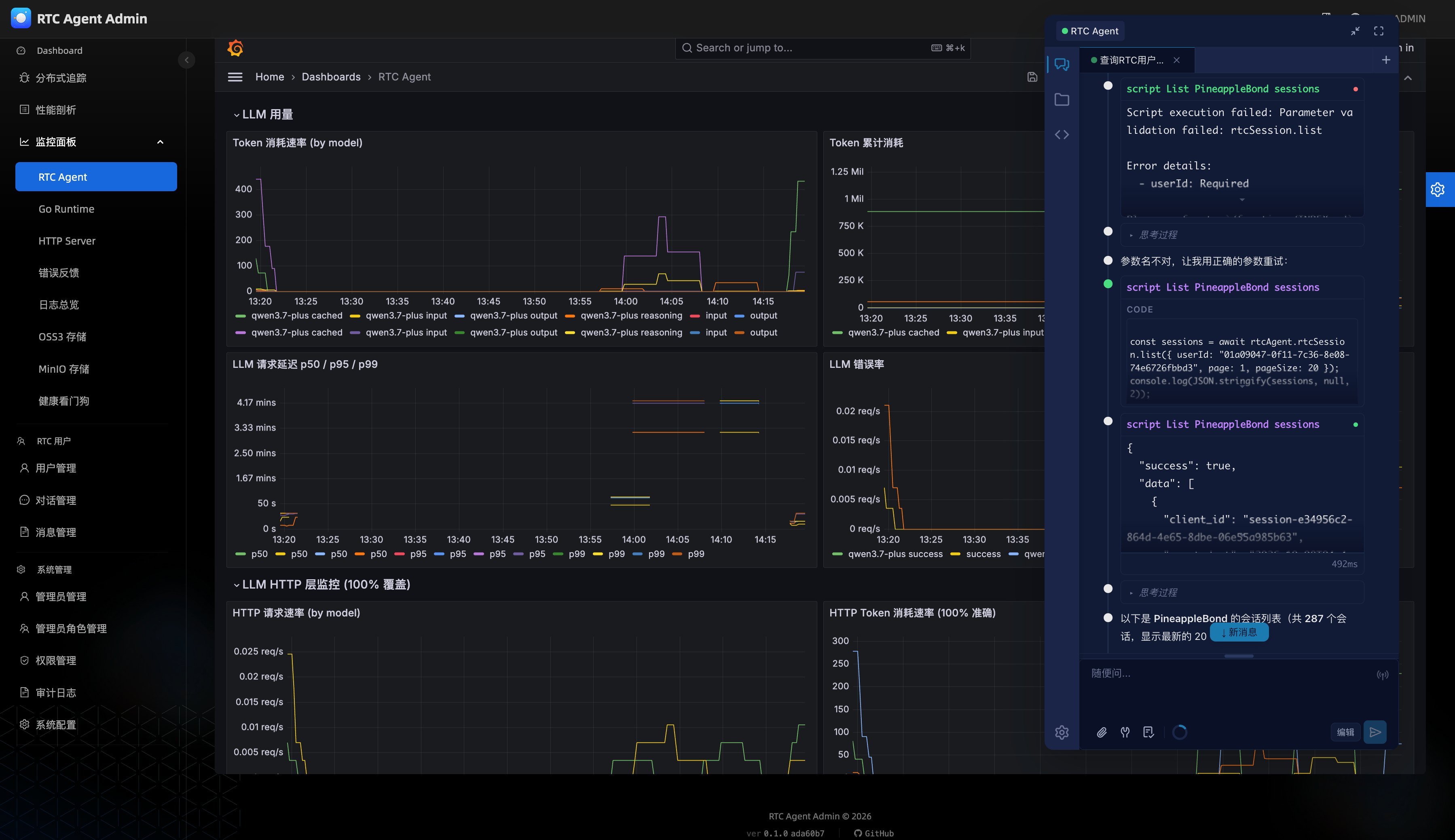
Admin 服务提供健康检查端点:
GET /ready
# 正常响应{ "status": "ready" }
# 降级模式(bootstrap 失败){ "status": "degraded", "error": "bootstrap failed — default roles may be missing" }