

Admin Service Overview
Admin Service Overview
Section titled “Admin Service Overview”RTC Agent Admin is an independent management backend service for the RTC Agent platform, providing core management features including admin authentication, user management, system configuration, and observability monitoring.
Architecture
Section titled “Architecture”The Admin service is a separate process from the main RTC Agent Server. They share the database but use different JWT keys and authentication systems:
┌───────────────── ┌─────────────────┐│ Admin Server │ │ RTC Server ││ (Port 8081) │ │ (Port 8888) ││ │ │ ││ • Admin Auth │ │ • User Auth ││ • Permissions │ │ • Session Mgmt ││ • User Mgmt │◄───────►│ • Messaging ││ • Config │ Shared │ • Script Exec ││ • Monitoring │ DB │ │└────────┬────────┘ └─────────────────┘ │ ▼ ┌────────────┐ │ Admin UI │ │ (SPA) │ └────────────┘Key Differences:
| Feature | Admin Server | RTC Server |
|---|---|---|
| Port | 8081 | 8888 |
| Auth Method | Email OTP | OAuth2 / JWT |
| JWT Keys | Independent RSA/ECDSA key pair | Shared JWT Secret |
| Purpose | Platform Management | User Service |
Starting the Service
Section titled “Starting the Service”Command Line
Section titled “Command Line”# Start Admin servicertc-agent admin serve
# Specify config filertc-agent admin serve --config /path/to/admin.yamlDocker Deployment
Section titled “Docker Deployment”admin-server: build: context: . dockerfile: Dockerfile command: ["./rtc-agent", "admin", "serve"] ports: - "28081:8081" volumes: - ./etc/admin.docker.yaml:/app/etc/admin.yaml:ro - full-admin-server-keys:/app/etc/keys depends_on: - migrate - postgres - redisConfiguration
Section titled “Configuration”The Admin service uses an independent configuration file etc/admin.yaml:
server:  host: "0.0.0.0"  port: 8081  env: "production"  # or "development"
database:  dsn: "postgres://user:pass@localhost:5432/rtc_agent?sslmode=disable"
redis:  addr: "localhost:6379"  password: ""  db: 0
jwt:  algorithm: "RS256"  issuer: "http://localhost:8081"  audience: "http://localhost:8888"  private_key_path: "etc/keys/admin-private.pem"  public_key_path: "etc/keys/admin-public.pem"  access_token_ttl: 3600      # 1 hour  refresh_token_ttl: 604800   # 7 days
security:  rate_limit_per_minute: 100  login_max_attempts: 5  login_lock_duration: 900  cookie_secure: true
email:  smtp_host: "smtp.example.com"  smtp_port: 587  smtp_user: ""  smtp_password: ""  from_address: "admin@example.com"  from_name: "RTC Agent"
otp:  ttl: 300  length: 6  send_cooldown: 60  max_send_per_ip: 5  max_verify_attempts: 5  lock_duration: 900
features:  permission_system: true  password_enabled: false
# Observability service URLsprometheus_url: "http://localhost:9090"grafana_url: "http://localhost:3000"jaeger_url: "http://localhost:16686"pyroscope_url: "http://localhost:4040"
Feature Modules
Section titled “Feature Modules”1. Admin Authentication
Section titled “1. Admin Authentication”- Email OTP login (verification code)
- JWT Token mechanism (Access Token + Refresh Token)
- Login protection (Rate Limiting, Account Lockout)
- Cookie security configuration
2. Permission Management
Section titled “2. Permission Management”- Casbin RBAC permission system
- Role management
- User role assignment
- Policy synchronization (multi-instance deployment)
3. User Management
Section titled “3. User Management”- Admin management (CRUD)
- RTC user management
- User details (sessions, messages, devices)
- User banning
4. System Configuration
Section titled “4. System Configuration”- Dynamic configuration system
- Per-user configuration overrides
- Configuration change audit
- Optimistic locking mechanism
5. Observability Integration
Section titled “5. Observability Integration”- Grafana dashboards (iframe embedding)
- Prometheus metrics proxy
- Jaeger distributed tracing
- Pyroscope profiling
6. Audit Logs
Section titled “6. Audit Logs”- Operation audit records
- Change history tracking
Access
Section titled “Access”The Admin UI is embedded as a SPA (Single Page Application) static file in the Admin Server. After startup, access via browser:
http://localhost:28081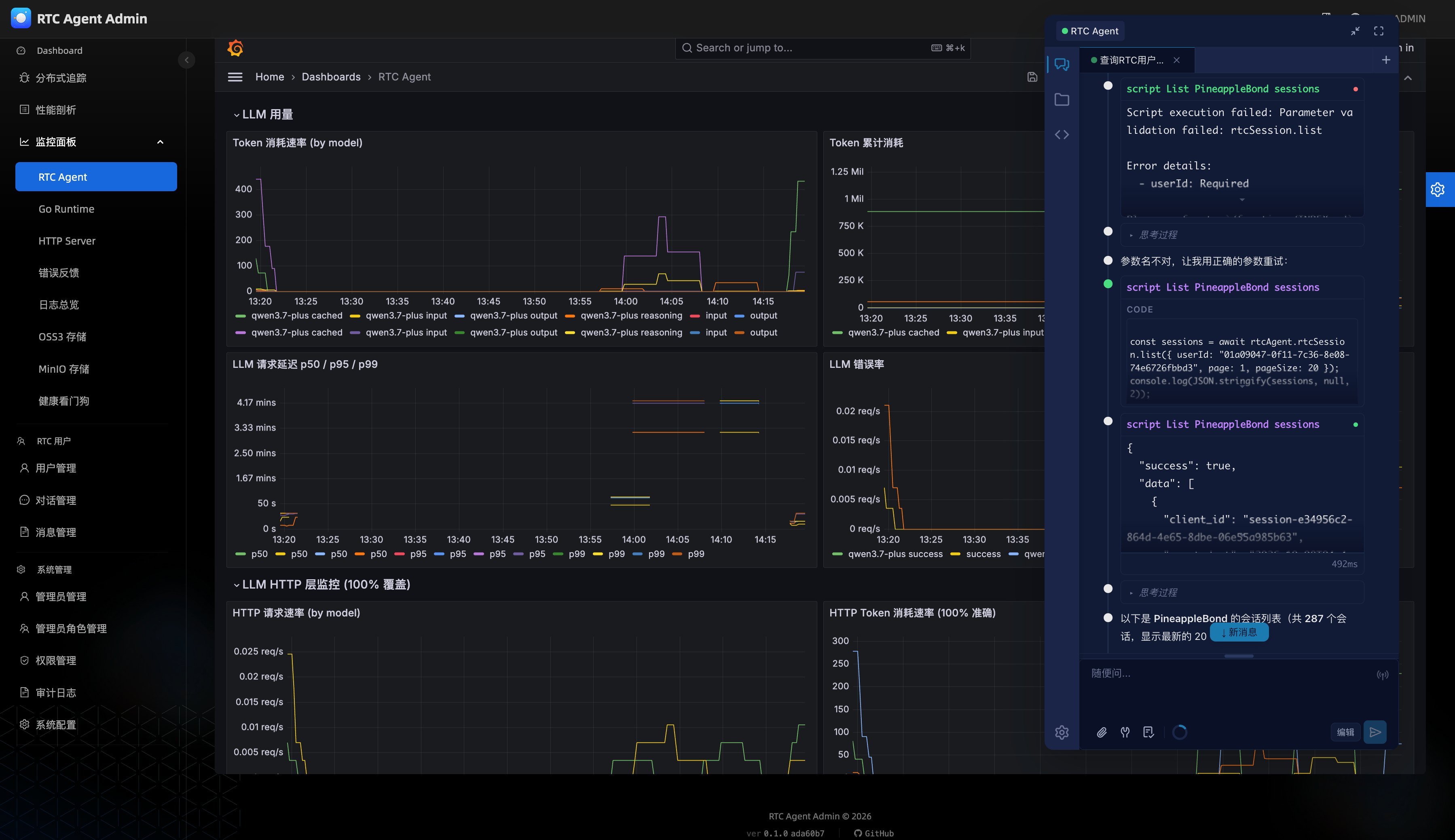
Health Check
Section titled “Health Check”The Admin service provides a health check endpoint:
GET /ready
# Normal response{ "status": "ready" }
# Degraded mode (bootstrap failed){ "status": "degraded", "error": "bootstrap failed — default roles may be missing" }